

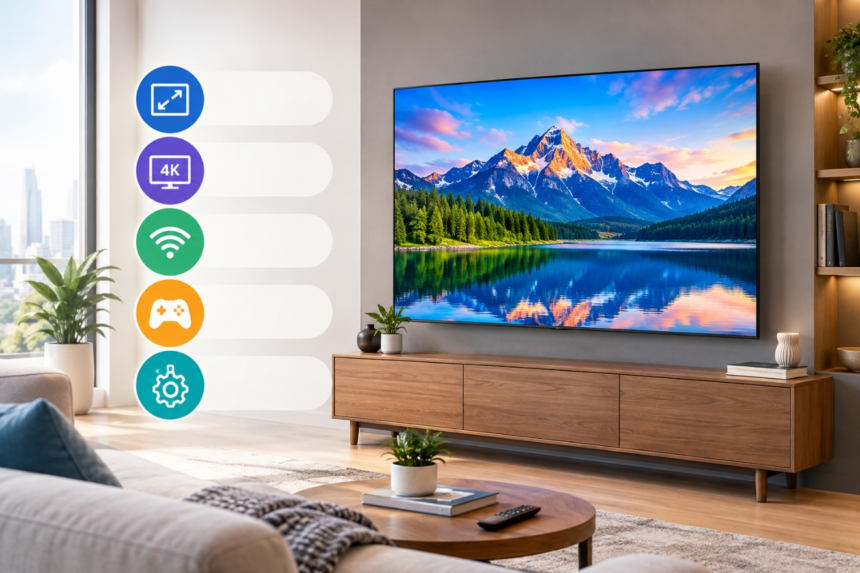
Buying a television involves more than choosing a screen size. A smart TV can stream content, run apps, sync with devices, connect to the internet, play games and so much more, so it is important to determine what you want to use it for before you buy one.
Samsung’s smart TVs come in different sizes and configurations, with differences in display technology, resolution, picture features, sound, connectivity and smart functions. These details can help you compare models and select one which matches your room size and viewing preferences.
Choose the Right Screen Size
One of the first features to take into account when purchasing a Samsung TV is screen size. A larger screen can make for a more immersive viewing, but it also needs to have enough space for it to be viewed comfortably.
Consider the distance and space between television and your seating position, and space on the wall or furniture. You can use smaller screens in bedrooms or small spaces, and larger screens in large living rooms or entertainment spaces.
Measure setup area before buying the TV. You can save yourself from selecting a screen that isn’t compatible with the current system.
Compare Display Technology
Samsung smart TVs come with a variety of display technologies, each of which can provide a unique viewing experience.
There are many types of LED displays, which are lit by an LED backlight. Samsung’s QLED technology is based on Quantum Dot technology, which delivers a wide range of colors and brightness.
There are also more sophisticated display technologies for some Samsung TVs. When comparing models, look at the type of panel used and consider how it may suit your room’s lighting and your preferred content.
Look at Resolution
Resolution is the amount of detail that a screen can show. With modern televisions, 4K is widely supported, and offers greater pixels than Full HD.
A 4K TV may be an effective option for larger screens since high-quality content may look sharper when viewed on a 4K TV. However, remember that what you see on screen is dependent on the quality of the source content.
For those who like to watch 4K movies, series, sports or other acceptable content regularly, verify that the Samsung model you are interested in is compatible with the resolution and formats you will require.
Consider HDR Support
Combination of HDR picture technologies and format may vary by Samsung model. If you watch movies and TV shows often that are also offered in HDR, keep in mind that the TV will have to support certain formats.
Comparing HDR to resolution or display technology is helpful but not the only way to consider the feature. All of these specifications contribute to shaping the content’s compatibility.
Check the Smart TV Features
Another crucial aspect of your purchase decision is the smart features. Access to supported streaming services, applications, settings and connected features are available on Samsung’s smart TV experience.
Think about the apps and services that you use on a frequent basis before selecting a model. It is equally important to examine the interface and the available smart features to see how they will work for you.
Samsung smart TVs also offer compatibility with other devices, allowing you to create a more integrated entertainment system.
Consider Sound and External Audio
Quality of pictures is just a portion of the viewing. If you want a more impressive audio setup, you might want to invest in a soundbar or an external audio system; however the TV’s built-in speakers may be good enough for a casual viewing experience.
If you have an existing soundbar, speakers, or home theatre set up, make sure to review the audio connections and supported technologies you have.
If you are thinking about your audio system at the same time you consider your TV, you can also prevent compatibility problems when you are ready to set it up.
Review Connectivity Options
Consider all the items you will use that will be used in conjunction with the TV. This could be a gaming console, a streaming device, Blu-ray players, soundbars, USB devices or other accessories.
Look at the number and type of HDMI connectors, USB ports, wireless options, and more available options. When you have multiple devices, having enough device connections can help your entertainment setup run more smoothly.
It is also a good idea to look for the features that are relevant to a gamer’s console or gaming setup, since these can differ between the Samsung models.
Compare Models before Buying
After you have determined what features are important to you, check out the specs of individual Samsung models. Don’t pick a TV because of the size of its screen or one particular feature.
Take into account all aspects of the display’s features, including resolution, HDR, smart features, audio, connectivity, and its size and shape. Other factors to consider in your budget are the specification and size of the screen, which can impact the overall pricing.
Final thoughts
The first step to picking the right Samsung TV is to understand how you will use it. The size, type of display, resolution, HDR support, smart features, sound and connectivity may all help determine if your specific model is a good fit for your home.
You can go through all of this information and compare it with your room size, habits, connected devices and budget and select the Samsung smart TV that will suit your daily entertainment needs.